Codex on Palmetto 2
Codex CLI is available on Palmetto 2 for AI-assisted software development and HPC workflows. It can help with code understanding, log triage, Slurm script review, and small code changes.
On Palmetto 2, start Codex only inside a Slurm allocation on a compute node. Do not run Codex on the login nodes.
If you want Codex to use RLS-managed access, see OpenAI API through RLS for OpenAI-hosted models or Using Codex with Local RLS Models for locally hosted RLS models.
1. Start A Compute Session
For interactive use, request a compute allocation first:
salloc --nodes 1 --ntasks 1 --cpus-per-task 4 --mem 8G --time 02:00:00
module load codex
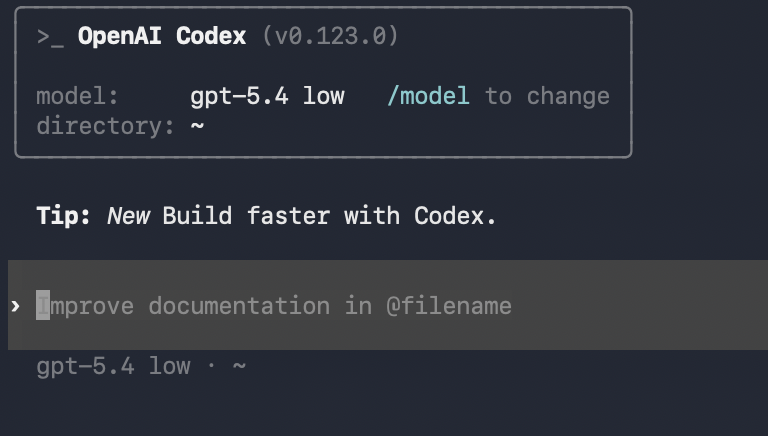
codex
Open OnDemand terminal or shell sessions are also acceptable, since they run as interactive compute jobs.
2. Authenticate
Codex supports ChatGPT sign-in and API key sign-in.
- For most cases, sign in with a Clemson-managed ChatGPT Edu account.
- OpenAI API through RLS is available to users with an active RLS allocation and RLS API key.
- Local RLS models are available through a custom Codex provider.
- Clemson-managed OpenAI API keys are also supported if one has been provided for automation or scripted use.
- Use device-code login:
codex login --device-auth
Keep ~/.codex/auth.json and API keys private. Do not put them in Git
repositories, shared shell scripts, or support tickets.
See AI Tools at Clemson for Clemson-managed AI services.
3. Managed Defaults On Palmetto 2
RCD applies managed defaults when Codex starts. Users can change these during a session, but the defaults are reapplied the next time Codex starts.
| Setting | Default | Why |
|---|---|---|
approval_policy | on-request | Keeps normal use low-friction while still surfacing risky actions |
sandbox_mode | workspace-write | Allows normal editing inside the working directory |
network access in workspace-write | disabled | Prevents spawned commands from using network unless the user chooses to allow it |
4. Enforced Restrictions
RCD also applies admin-enforced requirements:
danger-full-accessis not allowed.approval neveris not allowed.- Codex will prompt before
sbatch,scancel,git push, andrm. sudoandsuare forbidden.
5. Typical Interactive Workflow
A typical Codex session on Palmetto 2 looks like this:
- Start in the project or working directory you actually want Codex to see.
- Ask Codex to explain the code, logs, or Slurm script before asking for changes.
- Make small changes, review the diff, and run small tests in the allocation.
- Review any job submission carefully before approving it.
Use Git checkpoints or commits before and after larger tasks.
6. Non-Interactive Use With codex exec
codex exec is useful for bounded tasks such as log summarization, code review,
or generating a short report from files in the current directory.
codex exec "Summarize the error in slurm-12345.out and suggest the next debugging step."
Because the Palmetto 2 supported path does not allow approval never, batch or
script use works best for read, analyze, and report tasks. If the task will need
file edits, network access, or another prompted action, run it interactively
instead.